State Machine Diagram Builder
Design state machines visually in your browser. Add states, group them into composites, draw transitions with events, guards, and actions, and watch the Mermaid stateDiagram-v2 code update live. Templates included for traffic lights, order lifecycles, and connection retry logic.
States (0)
Transitions (0)
Add states and transitions to see the Mermaid stateDiagram-v2 code here.
Preview will appear once at least one state is defined.
Notes
- Add at least one state to render the diagram.
Example
State machine builder example
A Mermaid state diagram for a diagram moving from draft to preview, edit, and export.
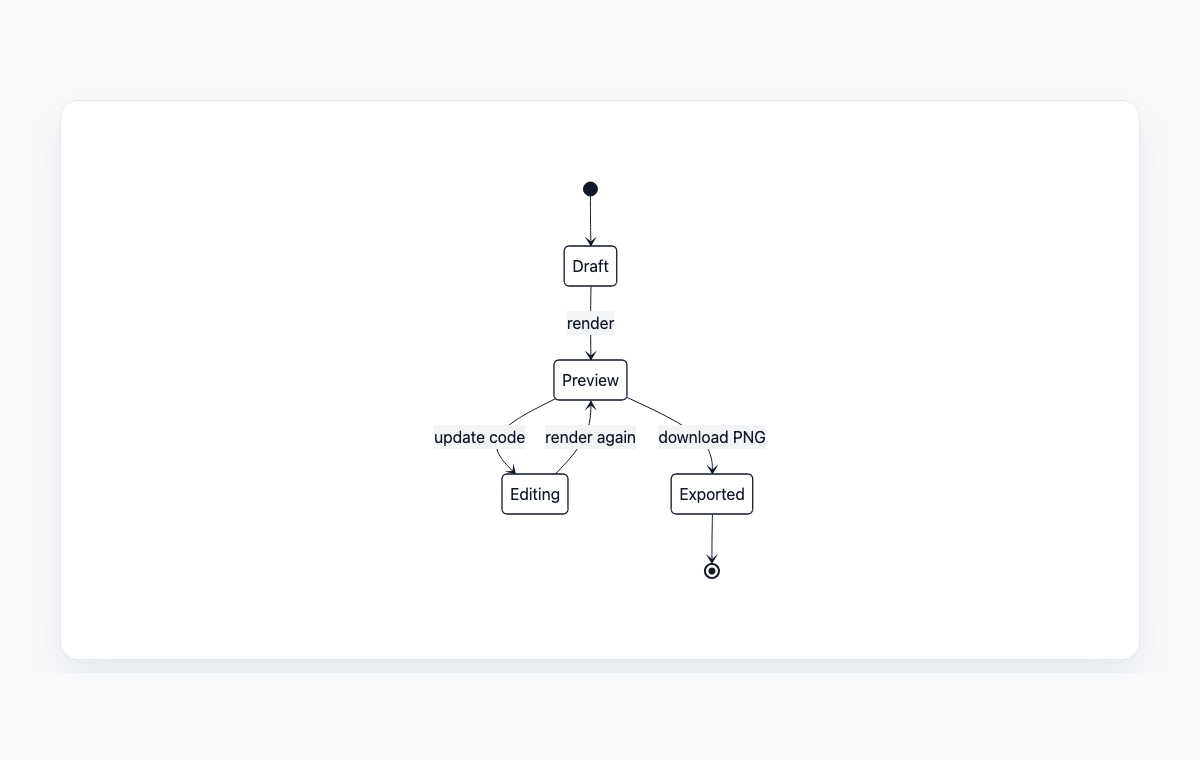
Mermaid code
stateDiagram-v2
    [*] --> Draft
    Draft --> Preview: render
    Preview --> Editing: update code
    Preview --> Exported: download PNG
    Editing --> Preview: render again
    Exported --> [*]
How to build a state machine diagram with Mermaid
Pick a template or click Add state. Set each state's name and kind — Initial and Final are the entry/exit markers, Composite groups child states together.
For composite parents, set Parallel if the regions run independently. Assign child states by picking a Parent in the dropdown.
Click Add transition for every change of state. Pick From and To, then describe the trigger as event [guard] / action — for example click [authorized] / login().
Copy the generated Mermaid stateDiagram-v2 code into your docs, or open the live preview and export the diagram as PNG or SVG.
Часто задаваемые вопросы
What is a Mermaid stateDiagram-v2?
stateDiagram-v2 is Mermaid's modern syntax for UML-style state machine diagrams. It supports initial and final markers ([*]), composite states with nested children, parallel regions, and labelled transitions. The output is a plain-text diagram that renders in GitHub, GitLab, Notion, Obsidian, and most modern docs platforms.
How do composite (nested) states work?
Mark a state as Composite, then assign child states to it via the Parent dropdown. The builder emits a Mermaid state block whose body contains the nested children, so you can model hierarchical state machines — for example, a Connected composite that contains Idle and Busy substates.
Can I attach events, guards, and actions to a transition?
Yes. Each transition has separate Event, Guard, and Action fields. The builder formats them as event [guard] / action on the arrow label, matching standard UML notation. Leave any field empty to omit it.
Why does the validation panel show errors?
The validator catches the most common state machine mistakes — duplicate state names within the same scope, multiple initial markers in one region, transitions that point to states that no longer exist, and unreachable top-level states. Fix the flagged issues to keep the diagram renderable and meaningful.
Is anything uploaded to a server?
No. Parsing, validation, rendering, and export all happen in your browser. Your state machine diagram never leaves your device.
Похожие инструменты
Диаграммы состояний
Read the full Mermaid stateDiagram-v2 syntax reference and examples.
Шпаргалка
Quick reference for every Mermaid diagram type in one page.
Конвертер Mermaid в PNG
Export your state machine diagram as PNG for slides and email.
Конвертер Mermaid в SVG
Export your state machine diagram as SVG for crisp documentation.