PlantUML to Mermaid Converter
Convert PlantUML diagrams to Mermaid syntax in your browser. Supports sequence, class, activity, and use case diagrams with batch upload.
The Mermaid code will appear here once you paste valid SQL.
The diagram preview will appear here.
Example
PlantUML to Mermaid example
A Mermaid sequence diagram for documenting browser, editor, and renderer interactions.
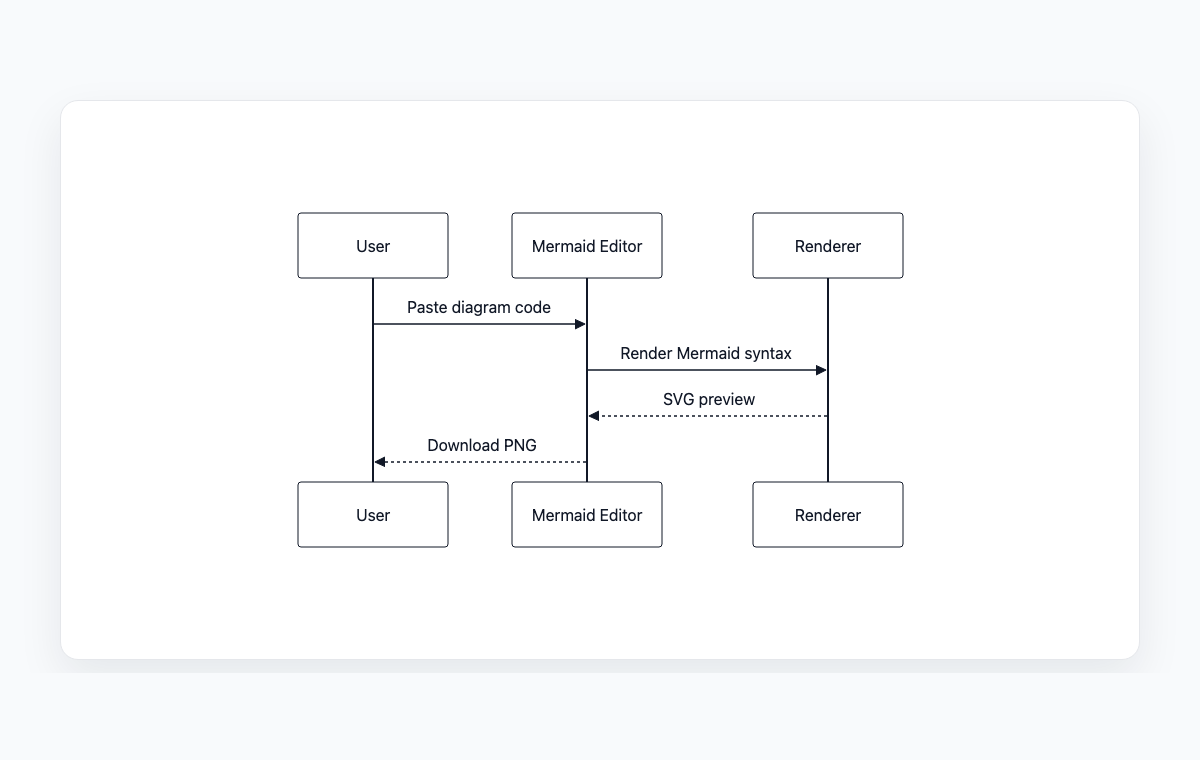
Mermaid code
sequenceDiagram
    participant User
    participant WebApp as Mermaid Editor
    participant Renderer
    User->>WebApp: Paste diagram code
    WebApp->>Renderer: Render Mermaid syntax
    Renderer-->>WebApp: SVG preview
    WebApp-->>User: Download PNG
Batch convert .puml files
Drop .puml / .plantuml / .txt files here, or click to choose
How to convert PlantUML to Mermaid
Paste your PlantUML source (including the startuml/enduml block) into the editor.
Review the auto-detected diagram type and the generated Mermaid output.
Tweak any unsupported syntax shown in the warnings panel by hand.
Copy the Mermaid code or batch-upload multiple .puml files for ZIP download.
Domande frequenti
Which PlantUML diagram types are supported?
Sequence, class, activity, and use case diagrams convert with the highest fidelity. Other diagram types (state, deployment, component) parse on a best-effort basis with warnings.
Is my PlantUML source uploaded anywhere?
No. Conversion runs entirely in your browser. Files dropped in the batch uploader are also processed locally.
Why do I get a partial result with warnings?
PlantUML has many features Mermaid does not. The converter emits a best-effort Mermaid block and lists any directives it had to drop or approximate so you can adjust manually.