Mermaid Timeline Builder
Build Mermaid timeline diagrams without remembering the syntax. Add sections, periods, and multiple events per period, then copy clean Mermaid code or render straight to PNG and SVG.
Sections and rows (1)
Leave blank to render rows without a section header.
Add a section and a row with a period and event to see the Mermaid code here.
Preview will appear here once the timeline has at least one row.
Notes
- Add at least one row with a period and an event to render the timeline.
Example
Timeline builder example
A Mermaid timeline showing when example code, PNG previews, and alt text are added.
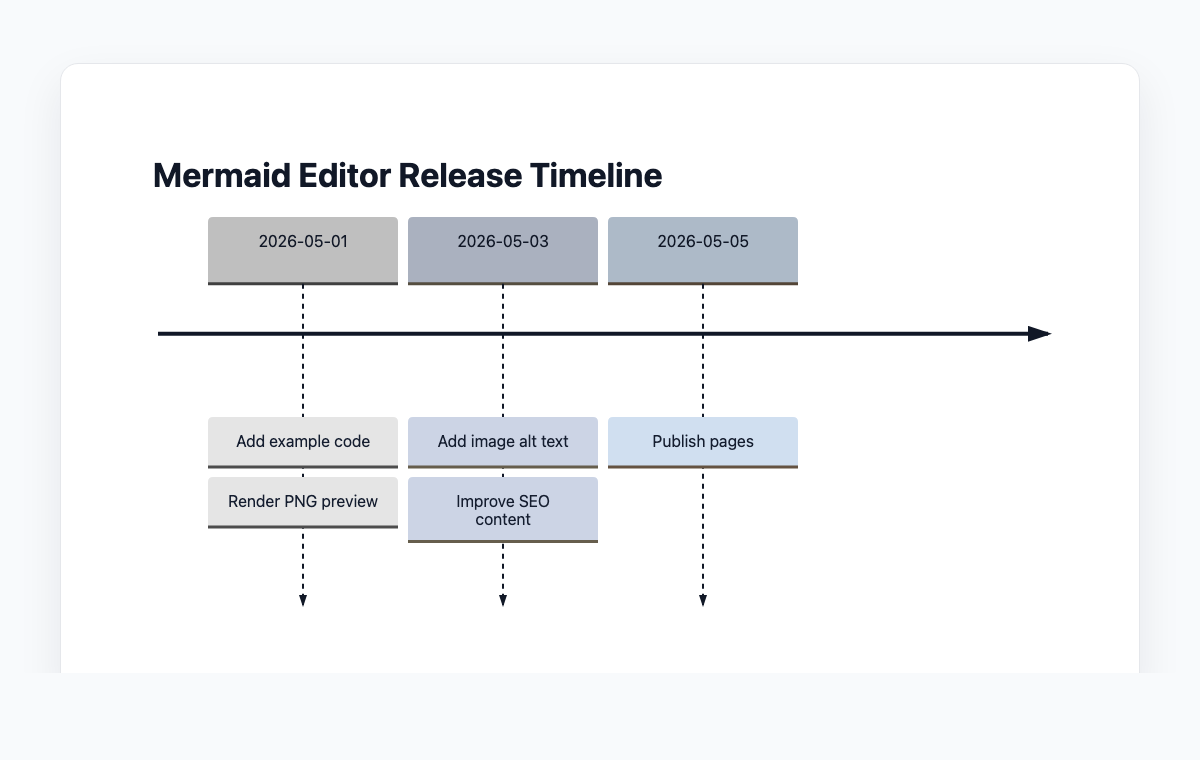
Mermaid code
timeline
    title Mermaid Editor Release Timeline
    2026-05-01 : Add example code
               : Render PNG preview
    2026-05-03 : Add image alt text
               : Improve SEO content
    2026-05-05 : Publish pages
How to build a Mermaid timeline diagram
Type a title for your timeline, then add one or more sections. Sections are optional — leave the section name blank to render rows without a header.
Inside each section, add rows. Each row has a period (a year, quarter, week, or any label) and one or more events that happened during that period.
Reorder sections, rows, and events with the up and down arrows until the story reads in the order you want.
Copy the generated Mermaid code into your docs, or open the live preview and export the diagram as PNG or SVG.
자주 묻는 질문
What is a Mermaid timeline diagram?
A timeline diagram in Mermaid uses the 'timeline' keyword and lists periods (years, weeks, sprints, etc.) followed by one or more events. Mermaid renders them as a vertical track with stacked event boxes per period, optionally grouped under section headers.
Do I need to use sections?
No. Sections are optional. If you leave the section name blank, this builder renders the rows inside it as top-level entries with no section header. Use multiple sections when you want to visually group periods together — for example by decade, quarter, or project phase.
Can I put more than one event on the same period?
Yes. Each row supports a list of events. The builder emits them on the same Mermaid line so they render stacked under the same period label, which is the standard way Mermaid handles multi-event periods.
What can I use as a period label?
Anything short — a year (2024), a quarter (Q1), a week (Week 3), a month (March), a sprint name, or a phase like "Discovery". Mermaid treats the period as plain text, so you have full freedom to label your timeline however the story makes sense.
Is anything uploaded to a server?
No. Parsing, serializing, rendering, and export all happen in your browser. Your timeline data never leaves your device.