SQL to Mermaid ERD Converter
Paste SQL CREATE TABLE statements and instantly get a Mermaid ER diagram. Works with MySQL, PostgreSQL, SQLite, and MariaDB.
The Mermaid code will appear here once you paste valid SQL.
The diagram preview will appear here.
Example
SQL to Mermaid ERD example
A Mermaid ER diagram for users, diagrams, and generated exports.
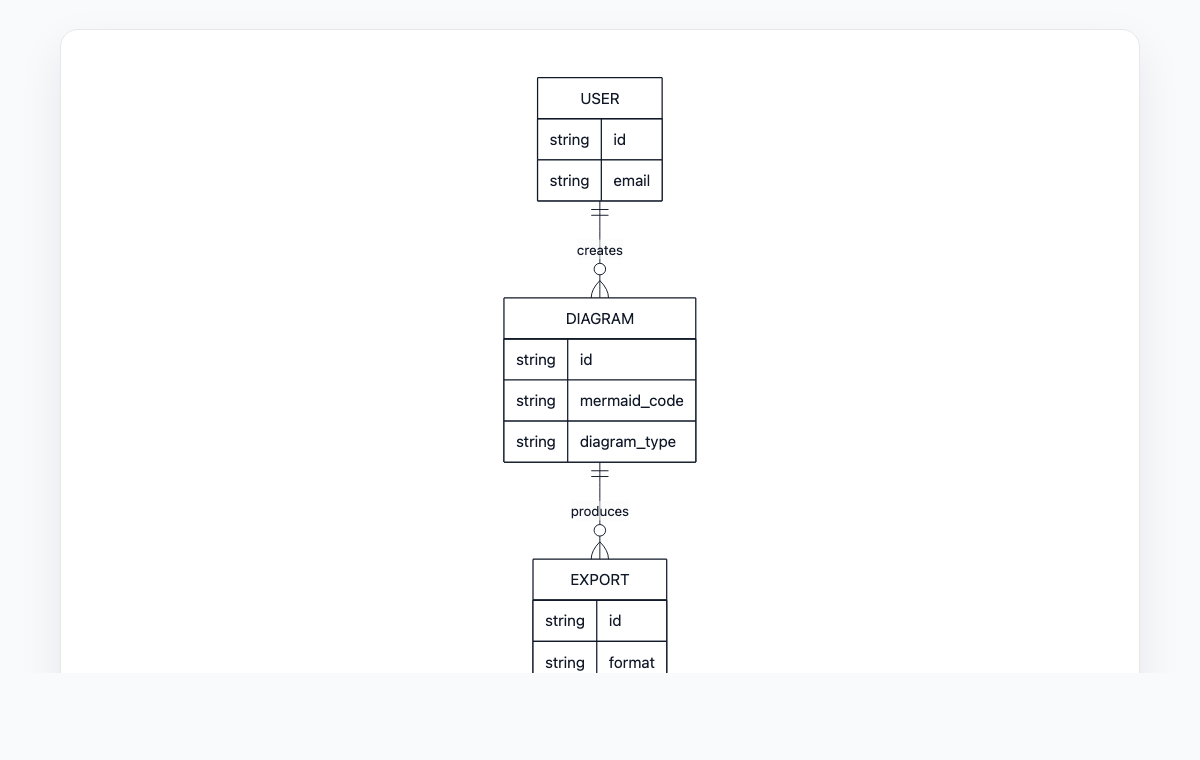
Mermaid code
erDiagram
    USER ||--o{ DIAGRAM : creates
    DIAGRAM ||--o{ EXPORT : produces
    USER {
      string id
      string email
    }
    DIAGRAM {
      string id
      string mermaid_code
      string diagram_type
    }
    EXPORT {
      string id
      string format
    }
How to convert SQL to a Mermaid ERD
Paste your SQL CREATE TABLE statements into the editor.
Pick the SQL dialect that matches your source database.
Review inferred relationships and toggle the heuristic if needed.
Copy the generated Mermaid code or export to PNG/SVG.
Câu hỏi thường gặp
Which SQL dialects are supported?
MySQL, PostgreSQL, SQLite, and MariaDB. Pick the matching dialect to ensure CREATE TABLE statements parse correctly.
Does it handle foreign keys?
Yes. Explicit FOREIGN KEY constraints are converted to Mermaid relationships. Optionally, columns ending in _id are heuristically linked to a matching table.
Are my SQL statements uploaded anywhere?
No. Conversion runs entirely in your browser. Nothing is sent to a server.