Mermaid to PNG Converter
Convert your Mermaid diagrams to high-quality PNG images. Customize resolution and background for perfect exports.
Mermaid to PNG Converter
Write Mermaid code, then use the Export button to download as PNG
Example
Mermaid to PNG example
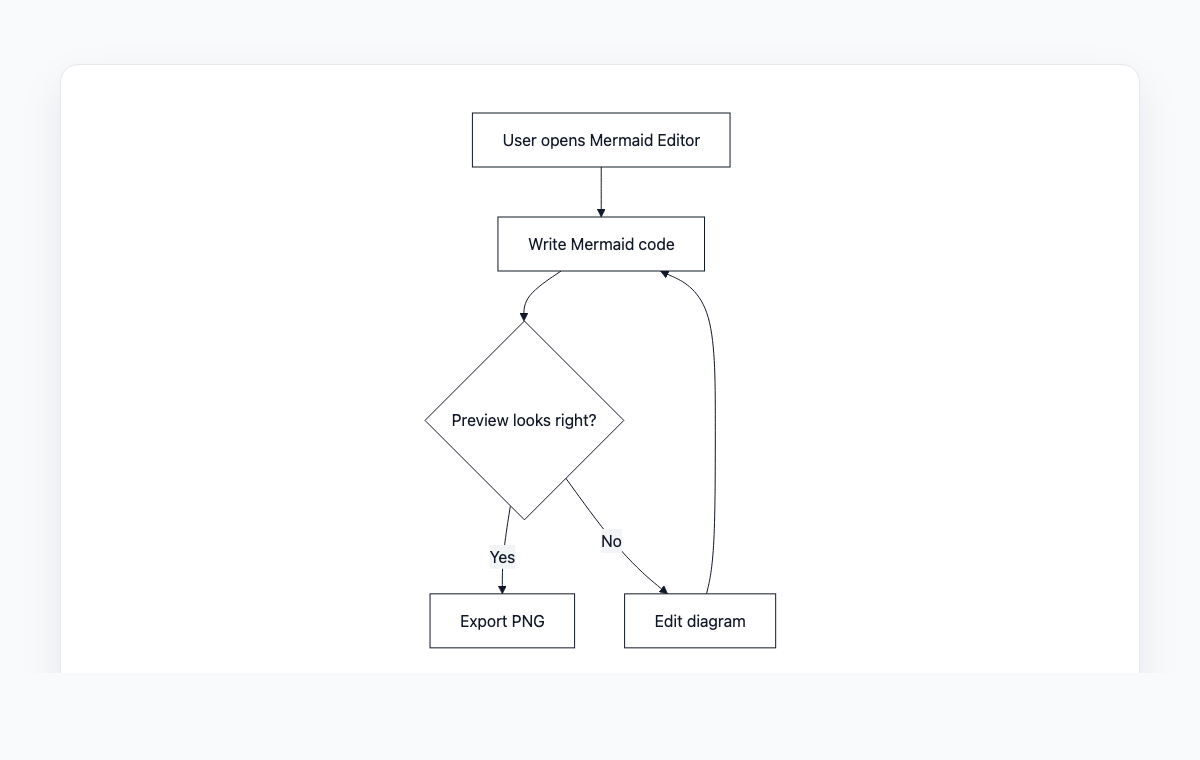
A simple Mermaid flowchart showing how code becomes a live preview and exportable PNG.
Mermaid code
graph TD
    A[User opens Mermaid Editor] --> B[Write Mermaid code]
    B --> C{Preview looks right?}
    C -- Yes --> D[Export PNG]
    C -- No --> E[Edit diagram]
    E --> B
How to Convert Mermaid to PNG
Write or paste your Mermaid diagram code in the editor
Preview the rendered diagram in real-time
Adjust scale and background settings as needed
Click Download PNG to save the image
Frequently Asked Questions
What resolution are the exported PNG images?
By default, images are exported at 2x scale for high-DPI displays. You can adjust the scale from 1x to 4x depending on your needs.
Can I export with a transparent background?
Yes, you can choose between a transparent or white background for your PNG exports.
Is there a size limit for diagrams?
There is no hard limit. However, very large diagrams may take longer to render. The export happens entirely in your browser.