Mermaid to WebP Converter
Export your Mermaid diagrams as WebP images. The modern image format that delivers superior compression with excellent quality for web use.
Mermaid to WebP Converter
Write Mermaid code, then use the Export button to download as WebP
Example
Mermaid to WEBP example
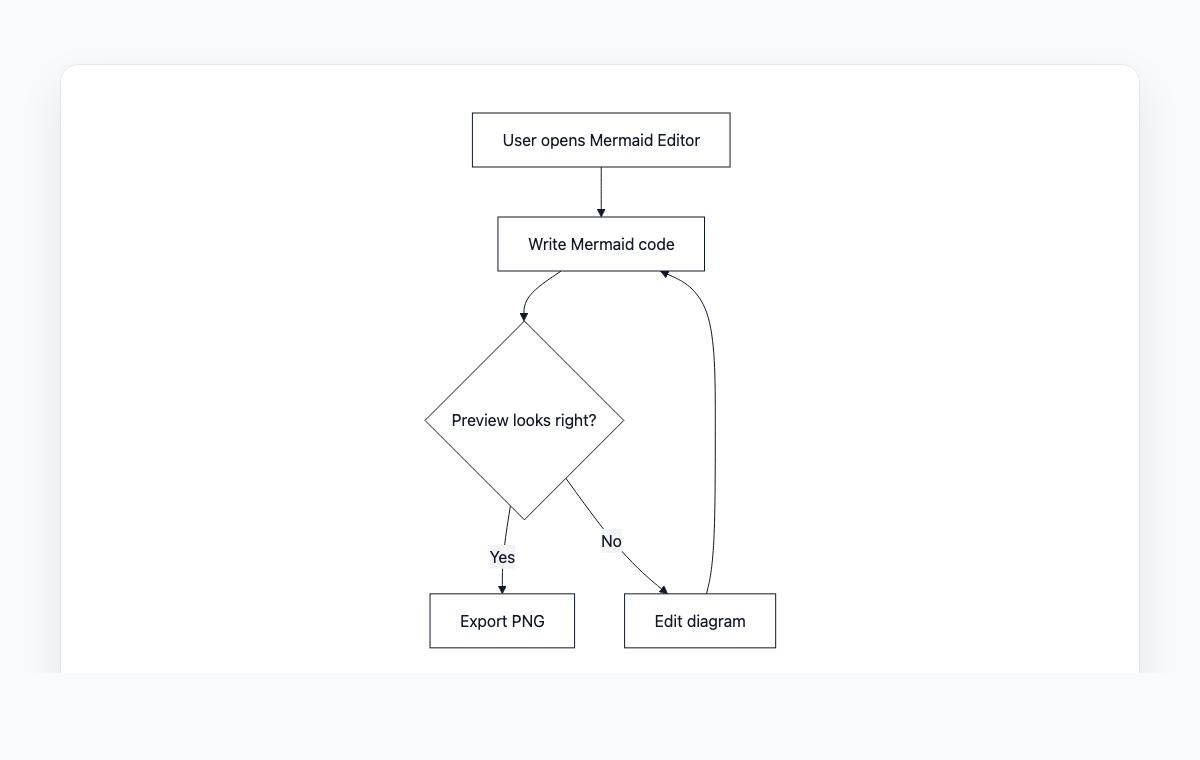
A simple Mermaid flowchart showing how code becomes a live preview and exportable PNG.
Mermaid code
graph TD
    A[User opens Mermaid Editor] --> B[Write Mermaid code]
    B --> C{Preview looks right?}
    C -- Yes --> D[Export PNG]
    C -- No --> E[Edit diagram]
    E --> B
How to Convert Mermaid to WebP
Write or paste your Mermaid diagram code in the editor
Preview the rendered diagram in real-time
Click the Export button and select WEBP format
Your WebP image will download automatically
Why Use WebP?
Smaller File Size
WebP images are typically 25-35% smaller than PNG and JPG at equivalent quality, saving bandwidth and storage.
Web Optimized
Developed by Google specifically for the web, WebP delivers faster page loads and better Core Web Vitals scores.
Supports Transparency
Unlike JPG, WebP supports alpha transparency, making it versatile for both photos and graphics with transparent backgrounds.
Wide Browser Support
All modern browsers including Chrome, Firefox, Safari, and Edge fully support WebP images.
Frequently Asked Questions
Is WebP supported by all browsers?
Yes, all modern browsers support WebP including Chrome, Firefox, Safari (14.1+), and Edge. Only very old browsers lack support.
How does WebP compare to PNG for diagrams?
WebP produces significantly smaller files while maintaining comparable quality. For diagrams with text and sharp edges, WebP with lossless mode is an excellent choice.
Can I use WebP in documents and presentations?
WebP works well on the web but some desktop applications may not support it yet. For documents and presentations, PNG or JPG may be more compatible.