Mermaid to JPG Converter
Convert your Mermaid diagrams to JPG/JPEG images. The most widely compatible image format for sharing via email, messaging apps, and social media.
Mermaid to JPG Converter
Write Mermaid code, then use the Export button to download as JPG
Example
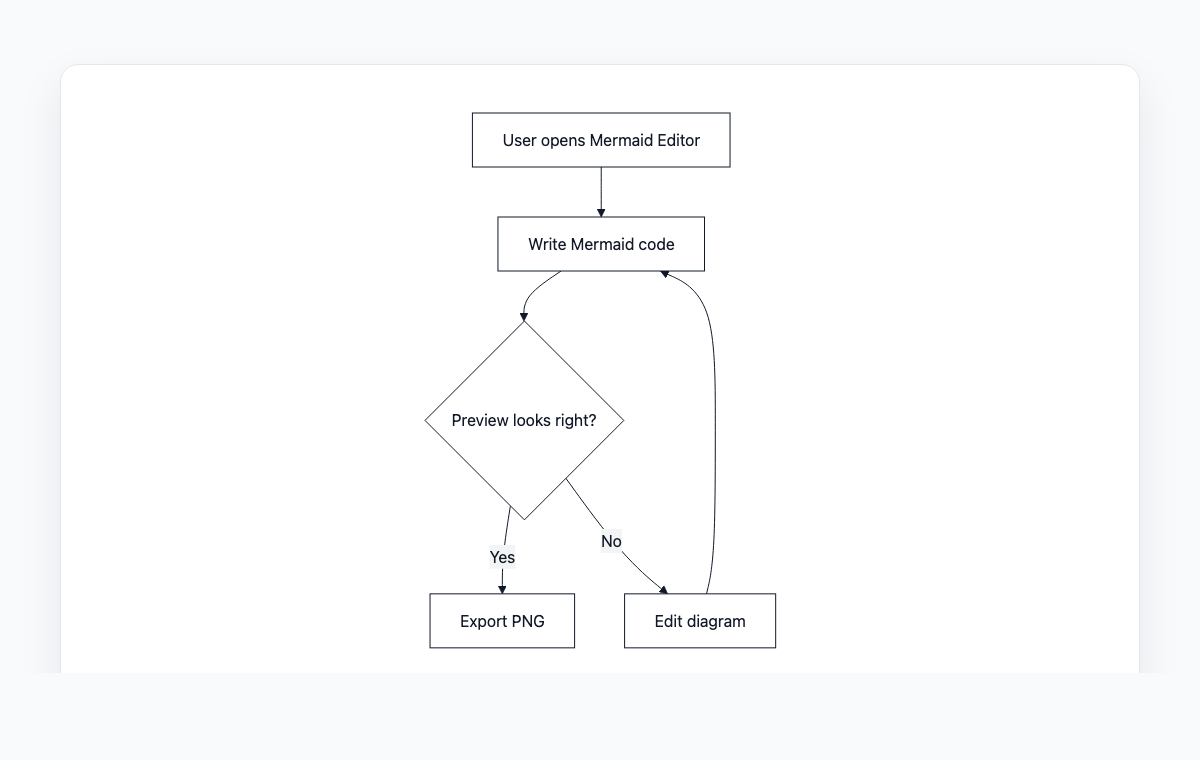
Mermaid to JPG example
A simple Mermaid flowchart showing how code becomes a live preview and exportable PNG.
Mermaid code
graph TD
    A[User opens Mermaid Editor] --> B[Write Mermaid code]
    B --> C{Preview looks right?}
    C -- Yes --> D[Export PNG]
    C -- No --> E[Edit diagram]
    E --> B
How to Convert Mermaid to JPG
Write or paste your Mermaid diagram code in the editor
Preview the rendered diagram in real-time
Click the Export button and select JPG format
Your JPG image will download automatically
Frequently Asked Questions
When should I use JPG instead of PNG?
JPG is best for sharing via email and messaging apps where file size matters. PNG is better when you need transparency or pixel-perfect quality. For diagrams with text, PNG typically looks sharper.
What is the quality of the exported JPG?
Images are exported at 95% quality by default, which provides an excellent balance between visual fidelity and file size.
Does JPG support transparent backgrounds?
No, JPG does not support transparency. The background will be white. If you need transparency, use PNG or WebP format instead.