Mermaid to SVG Converter
Export your Mermaid diagrams as scalable SVG vector graphics. Perfect for web embedding, print materials, and responsive designs.
Mermaid to SVG Converter
Write Mermaid code, then use the Export button to download as SVG
Example
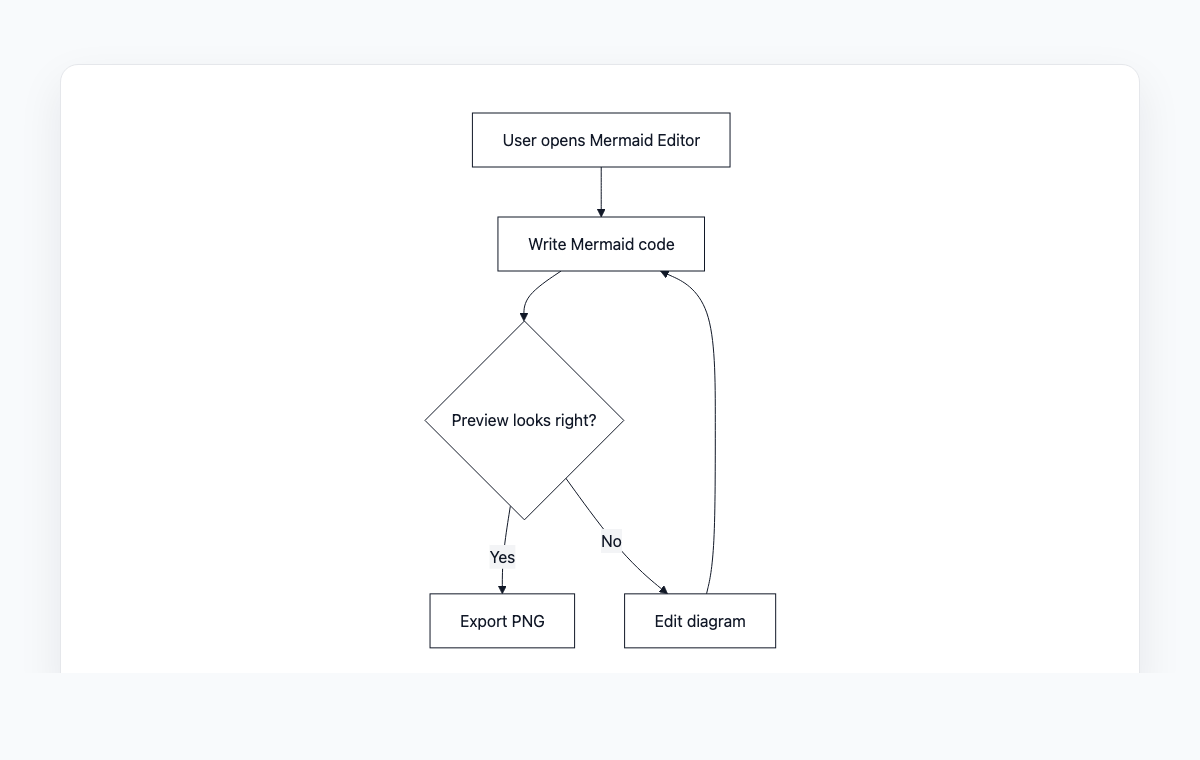
Mermaid to SVG example
A simple Mermaid flowchart showing how code becomes a live preview and exportable PNG.
Mermaid code
graph TD
    A[User opens Mermaid Editor] --> B[Write Mermaid code]
    B --> C{Preview looks right?}
    C -- Yes --> D[Export PNG]
    C -- No --> E[Edit diagram]
    E --> B
How to Convert Mermaid to SVG
Write or paste your Mermaid diagram code in the editor
Preview the rendered diagram in real-time
Click Download SVG to save the vector file
Or copy the SVG markup to embed directly in HTML
Why Use SVG?
Infinitely Scalable
SVG images never lose quality, no matter how much you zoom in. Perfect for presentations and print.
Lightweight
SVG files are typically smaller than PNG equivalents, making your pages load faster.
Editable
SVG is XML-based, so you can further edit colors, fonts, and styles with CSS or JavaScript.
Accessible
SVG supports text elements that screen readers can access, improving accessibility.
Frequently Asked Questions
What is the difference between SVG and PNG?
SVG is a vector format that scales infinitely without quality loss, while PNG is a raster format with fixed resolution. Use SVG for web and print, PNG for social media and messaging.
Can I embed SVG directly in HTML?
Yes, you can copy the SVG markup and paste it directly into your HTML. You can also use it as an image source with the img tag.
Will the SVG look the same in all browsers?
Yes, SVG is well-supported in all modern browsers including Chrome, Firefox, Safari, and Edge.